
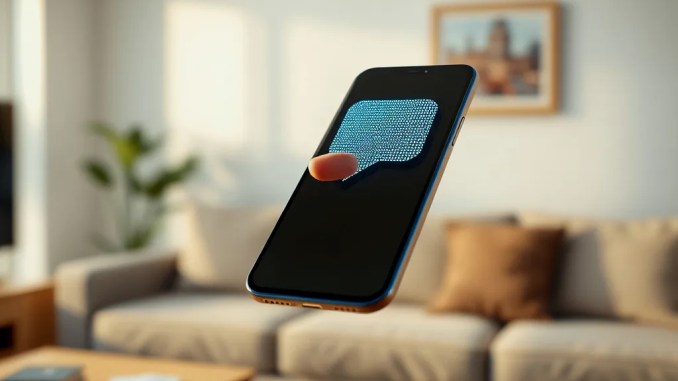
What is WhatsApp’s one-time view text message?
WhatsApp’s one-time view text message creates a temporary, full-screen display for a single reading of a sent text. After the recipient opens and closes that display, the message disappears from both participants’ chat history and leaves only a marker indicating the message was viewed. The sender can see a view timestamp if read receipts are enabled. The feature aims to reduce persistent traces of sensitive short text shared across chats.
How one-time view text works step by step
Follow these steps to send and receive a one-time view text:
Sending: Type the message in the message field, long-press the send button to reveal message options, choose “One-Time View.” The message converts to a special state flagged for single viewing.
Receiving: The recipient taps the message; WhatsApp opens it in a dedicated, immersive view that prevents inline copying and simple forwarding. When that view closes, the app removes the text from the chat thread for both sides and replaces it with a small “viewed” indicator.
Technical and behavioral protections implemented
WhatsApp combines client-side controls and platform-level checks to limit common exfiltration routes:
Copying and forwarding blocked: The UI disables copy and share actions for the one-time view content.
Screenshot and screen-record mitigation: The app tries to intercept OS-level screenshot triggers and disable in-app screen recording during the one-time view. Enforcement varies by device model and OS version; Modern Android and iOS releases can be more effective than outdated systems.
Ephemeral deletion: After viewing, the message entry is purged from both local chat logs, reducing forensic traces inside WhatsApp itself (third-party backups or external logs are separate concerns).
Key limitations and practical exceptions
Despite protections, several limitations remain:
Physical capture: A recipient can photograph the screen with another device. No software measure fully prevents a camera capture.
Custom ROMs and rooted devices: Modified OS images or root access can bypass screenshot blocking, allow background recording, or extract app data.
Backups and third-party logging: If a recipient uses screen-capture automation or a device-level backup solution that records screen contents before purge, the text can persist outside WhatsApp.
Limited feature parity: Some related capabilities—like scheduling one-time messages, linking to other media types, or cross-device sync—may not exist in initial releases.
When to use one-time view text: concrete scenarios
Use this for brief, high-sensitivity items that you do not intend to remain searchable in chat history. Examples:
One-time codes: Short authentication PINs or temporary passwords that should not linger in conversation logs.
Private routing details: A physical meeting address given once to a contact you do not want searchable later.
Short personal details: A private phone number, ID fragment, or quick passphrase you want to limit exposure to.
How businesses should adapt workflows
Companies that rely on WhatsApp to share ephemeral credentials should design fallback procedures. For example:
– Use one-time view for single-use access codes, but record issuance and acceptance events in a separate secure audit log (not the chat).
– Combine one-time view messages with a second verification channel (phone call, SMS fallback) for high-value transactions.
– Avoid relying on one-time view as sole proof of delivery for compliance-critical workflows; store minimal metadata (time sent, recipient ID, view confirmation) in a compliant store.
Practical tips to maximize privacy when sending
Apply these precautions:
1) Keep apps and OS updated: Newer platform versions enforce screenshot and recording protections more reliably.
2) Confirm recipient environment: Ask whether the recipient is on a managed or personal device; Corporate endpoints may have recording protections disabled.
3) Use short-lived codes: Combine one-time view messaging with codes that expire quickly, limiting value if captured by camera.
4) Avoid sensitive images: For images or documents, use WhatsApp’s existing disappearing media safeguards rather than retyping as text when permanence matters less.
What recipients should know and do
Recipients should expect non-recoverable content: once they close the one-time view, they cannot reopen, copy, or forward it from the app. If they must keep the content, request an alternative channel or ask the sender for a persistent, secure delivery method. Organizations should train users to decline capturing or storing one-time view content when policy prohibits retention.
Frequently asked questions users search for
Does the sender know if I screenshot the message? The app may attempt to prevent screenshots, but it does not reliably detect or notify the sender if an external camera captures the screen. If OS-level screenshot capture occurs and the app blocks it, the screenshot will likely be empty or fail.
Can I schedule a one-time view message? As of early releases, scheduling is not supported. Use immediate send and rely on time-limited tokens if you need expiry controls.
Will this appear in backups? Standard cloud or local backups may not include one-time view content if the app purges it before backup runs. However, backups taken while the message exists can capture it; avoid backing up during known exposures if absolute ephemerality matters.
How the feature rollout affects availability
WhatsApp rolls new features to beta users and then expands by region, OS, and device type. Expect staged availability: early testers see it first, then wider consumer and business audiences. Organizations should pilot on managed devices to validate behavior and compatibility before broad adoption.
Examples that illustrate realistic outcomes
Example 1: Security team shares a 6-digit, one-time MFA code by one-time view. The recipient opens it, authenticates, and closes the view; the code no longer exists in chat. If the recipient photographed the screen, the code still worked for a single use and expired shortly after, reducing risk.
Example 2: A sales rep sends a short client routing note via one-time view but later needs proof of delivery. Because the message deletes itself, the rep relies on an internal CRM timestamp and a separate confirmation call instead of chat records.
Bottom line: realistic expectations and best use
One-time view text adds a practical privacy layer for short, sensitive messages by blocking casual copying, forwarding, and most in-app capture. It does not eliminate all risks—physical photography, rooted devices, and poorly timed backups remain gaps. Use the feature alongside short expirations, secondary verification, and secure logging to reduce exposure while preserving operational needs.








Be the first to comment