
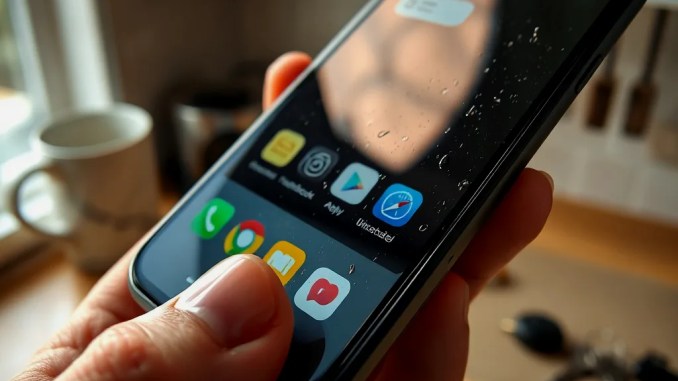
Why phone surfaces harbor so many microbes
People handle their phones dozens of times per day and carry them through multiple environments. Each touch transfers skin oil, food residue and microbes from surfaces such as pockets, countertops, public transit grips and restroom areas onto glass, plastic and case materials. Phone screens also warm slightly during use, which can help microbes survive long enough to transfer again when you touch your face, eat or handle food. Materials and surface coatings influence how long microbes persist: smooth glass and sealed cases limit deep embedding, while textured or porous cases trap debris and support higher counts.
Which bacteria and microbes turn up on phones—and what they can cause
Surveys and culture studies repeatedly find skin- and gut-associated organisms on phones. Common isolates include Staphylococcus (including S. aureus), Streptococcus, Escherichia coli and Enterococcus. Staphylococci can colonize scratches or small cuts and cause local infections; streptococci can seed upper respiratory or skin infections; E. coli and Enterococcus indicate fecal contamination and can cause gastrointestinal illness if transferred to the mouth. Presence of these species does not guarantee disease—dose, host immunity and route of transfer matter—but they show phones can serve as transient pathogen reservoirs.
Behaviors that make phones especially contaminated
Certain routines predictably raise a phone’s microbial load. Carrying a phone in a pant pocket or handbag places it against clothing fibers and potentially contaminated surfaces. Using phones in bathrooms exposes them to aerosolized particles from flushing and toilet surfaces. Handling phones while eating moves food particles and microbes from hands to screen, then into the mouth when you touch your face. Regular contact with public transit rails, shared keyboards or ATM keypads increases rapid recontamination between cleanings. When cleaning is infrequent or uses inappropriate products, contamination accumulates.
Which cleaning products work—and which damage devices?
Choose agents that inactivate microbes without stripping factory screen coatings. A 60–80% isopropyl alcohol solution effectively inactivates many bacteria and viruses while evaporating quickly and minimizing residue; 70% isopropyl wipes specifically designed for electronics are widely recommended. Mild soap and water applied with a barely damp microfiber cloth safely removes debris and many microbes from cases and device exteriors, provided water does not enter ports. Avoid household bleach, undiluted hydrogen peroxide, abrasive powders, or strongly alkaline cleaners that can etch oleophobic coatings or damage plastics. Never spray liquids directly onto a device—apply them to the cloth first.
Step-by-step: disinfecting your phone safely
Follow these explicit steps to disinfect without harming the device:
1. Power down and unplug. Turn off the phone and remove any wired chargers. If the phone is water-resistant, you should still avoid soaking.
2. Remove the case and accessories. Clean the case separately: most silicone or plastic cases tolerate soap and water; leather requires manufacturer-specific care.
3. Dry-clean ports and grills. Use a dry microfiber cloth, compressed air at low pressure or a soft brush to dislodge dust from charging ports and speakers. Avoid pushing debris farther in.
4. Apply disinfectant to the cloth—not the device. Put a 70% isopropyl alcohol wipe or a few sprays on a microfiber cloth. Wring out excess so the cloth is damp, not dripping.
5. Wipe all external surfaces first. Move the cloth in consistent strokes across the screen, back and edges. Don’t press aggressively; let the dampness do the work.
6. Allow air-dry and reassemble. Wait at least one to two minutes for alcohol to evaporate and the device to be fully dry before switching on and reattaching the case. Clean the case separately and only put it back once fully dry.
7. Schedule repeat cleanings. For average users, weekly disinfection suffices; increase to daily if you frequently use your phone in bathrooms, during meals, or in healthcare and childcare settings.
Quick answers people ask about phone hygiene
How often should I clean my phone? Clean at least once per week for routine use; clean daily if you use the phone in high-contact, high-contamination contexts (restrooms, public transport, while eating).
Does using an antimicrobial case remove the need to clean? Antimicrobial or silver-impregnated cases can reduce surface colonization rates but do not replace mechanical cleaning. Organic debris and oils still trap microbes, so wash or disinfect cases regularly.
Is it safe to use alcohol on all phones? Most modern phones tolerate 60–80% isopropyl alcohol applied sparingly to a cloth. Avoid repeated heavy use on oleophobic coatings if you want them to retain fingerprint resistance indefinitely; the trade-off favors periodic disinfection when hygiene matters.
Data and examples that show scope and risk
Research provides concrete comparisons: a University of Michigan study found phone surfaces can carry higher bacterial counts than toilet seats in some cases, highlighting how personal-contact frequency elevates exposure despite perceived cleanliness differences. Behavioral surveys report users check phones dozens of times daily (often cited around 40–50 checks), which multiplies opportunities for transfer between face, food and device. Case studies in clinical settings show that devices handled during patient care can transfer skin flora and MRSA between staff and surfaces if not regularly disinfected.
Practical habits to reduce recontamination
Adopt a few targeted behaviors to lower your phone’s microbial load between cleanings: stop bringing the phone into the toilet room; avoid using the phone while eating; Place phones on designated cleanable surfaces or stands rather than directly on counters or floors; wash hands for 20 seconds after restroom use and before handling the phone; keep a small pack of electronics-safe wipes in a bag or pocket for quick mid-day cleanings.
How to integrate cleaning into daily life without hassle
Make cleaning frictionless by combining it with existing routines: disinfect at the same time you wipe down keys or glasses weekly, or set a phone reminder tied to a calendar habit. Use washable cases and rotate two cases so one can dry fully between uses. For people in healthcare or food service, store a small bottle of 70% isopropyl solution and lint-free cloths in a locker to enable rapid spot disinfection during shifts.
Bottom line: reduce risk with modest, evidence-based steps
Phones naturally accumulate microbes because we carry and touch them constantly. Routine, careful cleaning with 60–80% isopropyl alcohol wipes or a damp microfiber cloth and soap mild for cases, combined with behavior changes (no phone in restrooms, wash hands before handling devices), cuts microbial load substantially and lowers transmission risk without harming modern devices when done correctly.









Be the first to comment