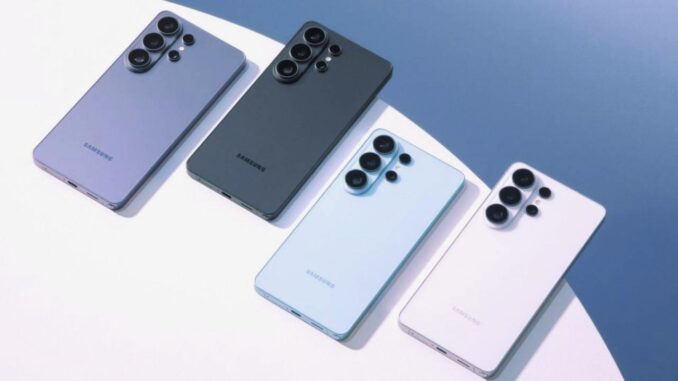
In recent developments, a game-changing feature has emerged: the ability for Samsung Galaxy devices, specifically the Galaxy S26, to utilize Apple’s iconic AirDrop. This means seamless, instantaneous sharing of files between Android and iOS ecosystems, breaking down long-standing barriers that have restricted cross-platform data transfer. Whether you’re a professional, student, or casual user, this innovation drastically simplifies how you exchange photos, videos, documents, and even large files, all without relying on third-party apps or cumbersome cloud services.
The significance of this update lies in its capacity to unite two of the world’s most dominant mobile operating systems—Android and iOS. For years, users faced inconveniences when trying to share files across different devices, often resorting to email attachments, cloud uploads, or third-party applications that lacked speed, security, or reliability. Now, with the integration of AirDrop-like functionality into Samsung’s Quick Share, this divide diminishes, paving the way for more fluid and secure data exchanges.
This exceptional feature becomes even more critical in a world where instant sharing boosts productivity and enhances social interactions. Imagine capturing a high-resolution photo on your Galaxy S26 and instantly sending it to a friend’s iPhone during a gathering. No more waiting for upload errors, limited Bluetooth speeds, or complicated email attachments. The gap narrows, and the process turns into a simple, tap-based action that feels naturally integrated into everyday smartphone use.
Implementing this feature is straightforward, but its impact is profound. Samsung’s recent software updates, especially in Galaxy S26 models, introduce a new layer of compatibility with Apple devices, leveraging existing technologies like Bluetooth and Wi-Fi. This synergy ensures that the speed, security, and ease of use remain high, even as devices switch between ecosystems seamlessly. The evolution represents a significant leap towards a more universal sharing experience, reducing frustration that once plagued users dependent on different platforms.
How Samsung’s Quick Share Merges with AirDrop Technology
Samsung’s Quick Share operates similarly to AirDrop, utilizing peer-to-peer Wi-Fi and Bluetooth connections to transfer data at blazing speeds. Previously exclusive to Apple devices, AirDrop uses high-speed Wi-Fi Direct and Bluetooth to enable quick, encrypted transfers without the need for internet connectivity. Samsung’s integration replicates this behavior, with the added advantage that it now supports iOS devices, including iPhones and iPads.
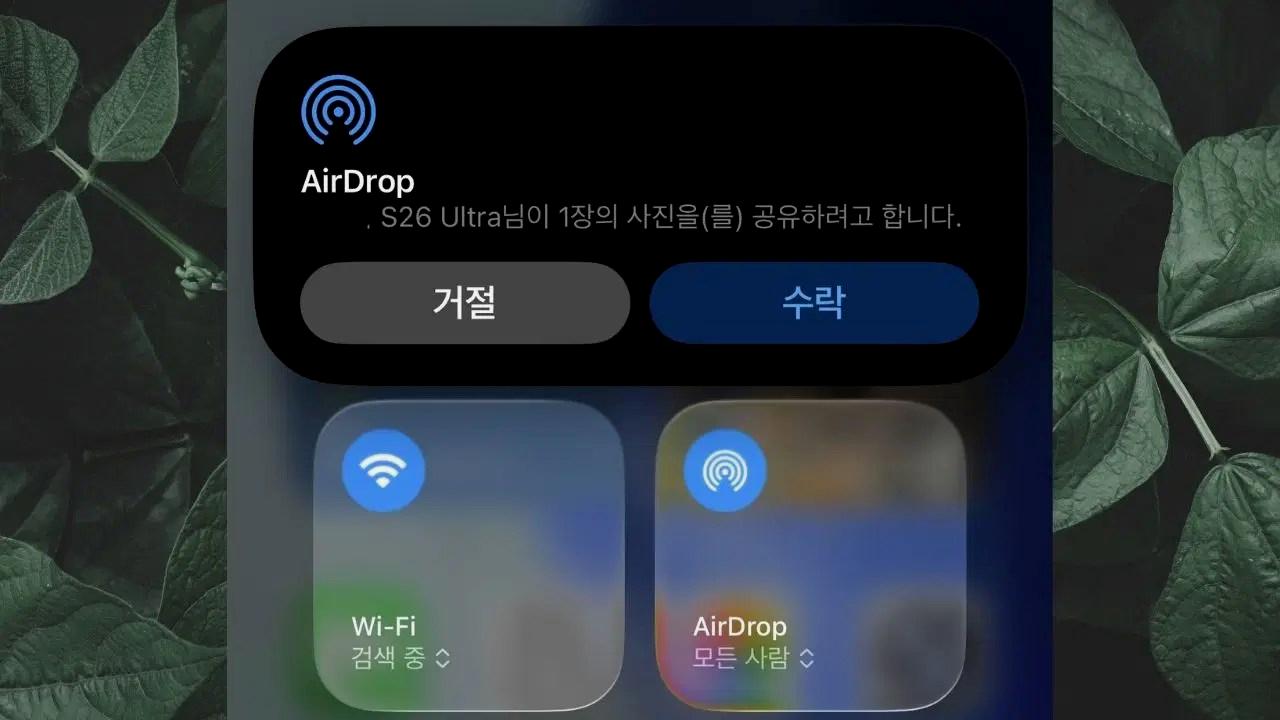
To understand how this integration works, it’s essential to recognize the underlying technology. Both AirDrop and Quick Share employ:
- Wi-Fi Direct for fast, direct connections
- Bluetooth for device discovery and initial pairing
- End-to-end encryption for security
By adopting these protocols, Samsung ensures that data transfers happen quickly while maintaining confidentiality. This approach avoids reliance on cloud servers, which often introduce latency and security concerns. It also offers a significant advantage over traditional Bluetooth transfers, which are slower and less reliable for large files.
Steps to Enable Cross-Platform File Sharing
- Update your devices: Make sure your Galaxy S26 runs the latest software update. Also, ensure that the recipient’s iPhone is updated to the latest iOS version that supports AirDrop.
- Activate Quick Share on Samsung: Navigate to Settings > Connections > Quick Share. Turn it on and enable sharing with Apple devices. Make sure Bluetooth and Wi-Fi are active.
- Enable AirDrop on iPhone: On the iPhone, open the Control Center, press and hold the network settings card, then tap AirDrop. Choose ‘Everyone’ or ‘Contacts Only’ based on your preference.
- Start Sharing: Select the file you want to share on your Galaxy S26. Tap the share icon, choose your Apple device from the list, and confirm the transfer on the receiving device if prompted. The transfer should complete within seconds to minutes depending on file size.
This method ensures a hassle-free experience, even for users unfamiliar with technical settings. Combining these steps allows users to exploit the full potential of cross-platform sharing, bypassing previous limitations and making collaboration easier than ever.
Benefits of Cross-Platform AirDrop Support
The advantages extend beyond mere convenience. Enhanced security is one of the core benefits, as all data transfers are encrypted end-to-end, safeguarding sensitive information from prying eyes. Speed is another major benefit—transferring a 1 GB video now takes mere minutes, compared to traditional Bluetooth or emailing, which could take hours or even fail altogether.
Additionally, this feature promotes greater flexibility in diverse scenarios:
- Professional environments: Quickly share presentations, reports, or images with colleagues regardless of their device ecosystem.
- Spontaneous social interactions: Instantly exchange photos or videos at social gatherings without the need for Wi-Fi passwords or external apps.
- Educational contexts: Students and teachers exchange assignments or multimedia materials seamlessly during classes.
Finally, compatibility with existing standards means that users do not need to switch devices or platforms, fostering a more inclusive device ecosystem and reducing electronic waste by extending device usage life and functional compatibility.
Future Implications and Potential Expansions
The successful integration of AirDrop-like features into Samsung devices hints at a broader industry shift toward interoperability. Future updates are likely to add support for more file types, automatic device recognition, and even cross-platform messaging protocols that combine multimedia sharing with text communication. Developers are increasingly focused on creating unified ecosystems where device boundaries blur, boosting user engagement and satisfaction.
Giant tech companies are eyeing this space for further innovations, including smart home synchronization, seamless workspace collaboration, and enhanced security protocols. Whether this leads to a truly universal sharing standard or more proprietary integrations remains to be seen, but the current momentum favors a future where transferring data between any device becomes as simple as a single tap.