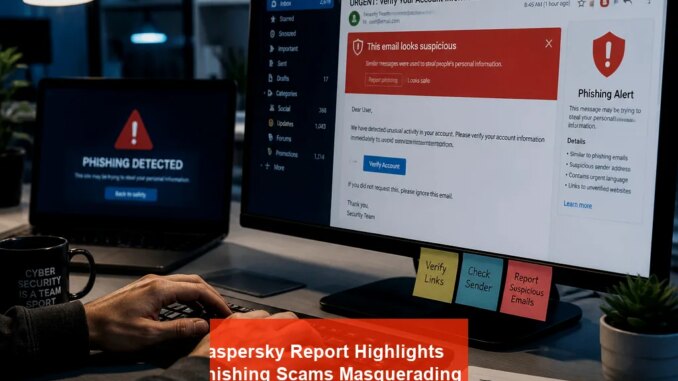
Unmasking the Hidden Dangers of Microsoft’s Device Authorization in Phishing Attacks
Cybercriminals have found a new avenue to hijack Microsoft accounts by exploiting the Device Authorization Flow—a feature designed to simplify login procedures on devices with limited input capabilities. While intended to streamline access, this mechanism inadvertently opens doors for immense security breaches when manipulated by skilled attackers. In recent months, security firms like Kaspersky have documented highly targeted phishing campaigns that leverage the OAuth 2.0 Device Authorization Grant to siphon sensitive user data and maintain persistent control over compromised accounts.
The Mechanics of Microsoft’s Device Authorization Flow
Typically, Microsoft’s device authorization allows users to log into their accounts from devices such as smart TVs, gaming consoles, or other technology that lacks a traditional keyboard or mouse. This process involves requesting a verification code on the device, which the user then enters into a trusted browser or app, confirming their identity securely. This two-step process relies heavily on security tokens—especially refresh tokens—that keep the session active without re-authentication.
However, attackers have learned to deceive users into visiting malicious pages mimicking legitimate Microsoft login prompts. By combining this deception with tactical phishing, they can extract verification codes or obtain tokens directly, which then allow persistent access even after the initial breach.
Deconstructing the Recent Phishing Campaign
The recent campaign, as analyzed by Kaspersky, started with emails claiming to be from a reputable law firm, complete with convincingly crafted sender addresses and official-looking PDFs. These PDFs are password-protected but prompt the recipient to enter the password—often divulged in the email—to open the document, which contains further instructions linking to a fake Microsoft login page.
The attacker’s webpage deploys complex captcha verifications to pass simulated security checks. This layered protection aims to thwart automated detection systems but ultimately guides the user to a page impersonating Microsoft’s login portal. When the user inputs their verification code, the attacker captures it and then uses it to authenticate as the victim via the real device authorization process.
The Exploitation Process: From Phishing to Persistent Control
- User interaction with the phishing email and PDF leads them to a cloned Microsoft login page.
- The user enters their verification code, believing they are authenticating through Microsoft.
- The fake page captures the code and relays it to the attacker through a concealed channel.
- Using the captured verification code, the attacker initiates a session on Microsoft’s platform, obtaining access tokens.
- With tokens in hand, attackers can bypass MFA and maintain continuous, stealthy access to the victim’s account, including email, OneDrive files, and Teams communications.
This sequence illustrates how a seemingly innocent login flow is weaponized into a lockpick for corporate and personal accounts.
Why Is This Attack So Potent?
The key reason lies in the persistence of refresh tokens. Once these are compromised, attackers can keep control over a victim’s account indefinitely, even if the victim changes passwords or resets tokens. Additionally, since the attack leverages OAuth 2.0 standards, it often bypasses rigid security policies designed to prevent session hijacking.
Another insidious aspect is the use of multiple CAPTCHA layers to evade detection and make the phishing pages appear more legitimate and difficult for automated security tools to flag.
How Can Organizations and Users Protect Themselves?
- Implement multi-layered email security: Use advanced spam filters and AI-driven threat detection to intercept and quarantine suspicious emails.
- User Education: Train employees and users to identify phishing signs—such as unexpected emails requesting verification codes, suspicious links, or prompts to enter login details on unfamiliar pages.
- Policy Enforcement: Limit the use of device code flows in high-security environments unless absolutely necessary, and disable unnecessary OAuth flows that broaden attack surfaces.
- Use of strong authentication tools: Deploy modern MFA solutions that can detect and block suspicious login attempts, even when tokens are compromised.
- Regular security audits: Conduct continuous monitoring of token usage, and revoke tokens immediately if suspicious activity is detected.
Advanced Detection and Response Techniques
Security teams should leverage behavioral analytics to detect anomalies such as rapid token generation, unusual IP addresses, or suspicious login timings. Integrating AI-powered threat intelligence platforms provides real-time alerts for emerging attack patterns related to OAuth and device flow hijacking.
The Long-Term Threat: A Call for Vigilance
This new form of device authorization phishing exemplifies how cybercriminals continuously evolve tactics to exploit legitimate security protocols. As organizations adopt more integrations and seamless login experiences, attackers will inevitably refine their methods to hijack legitimate flows.
Thus, staying updated on the latest attack vectors, enforcing strict security policies, and educating users remain essential in defending against these sophisticated threats. Recognizing the signs of such phishing, limiting attacker access via proper token management, and continuously auditing security practices form the cornerstone of resilient organizational cybersecurity.